
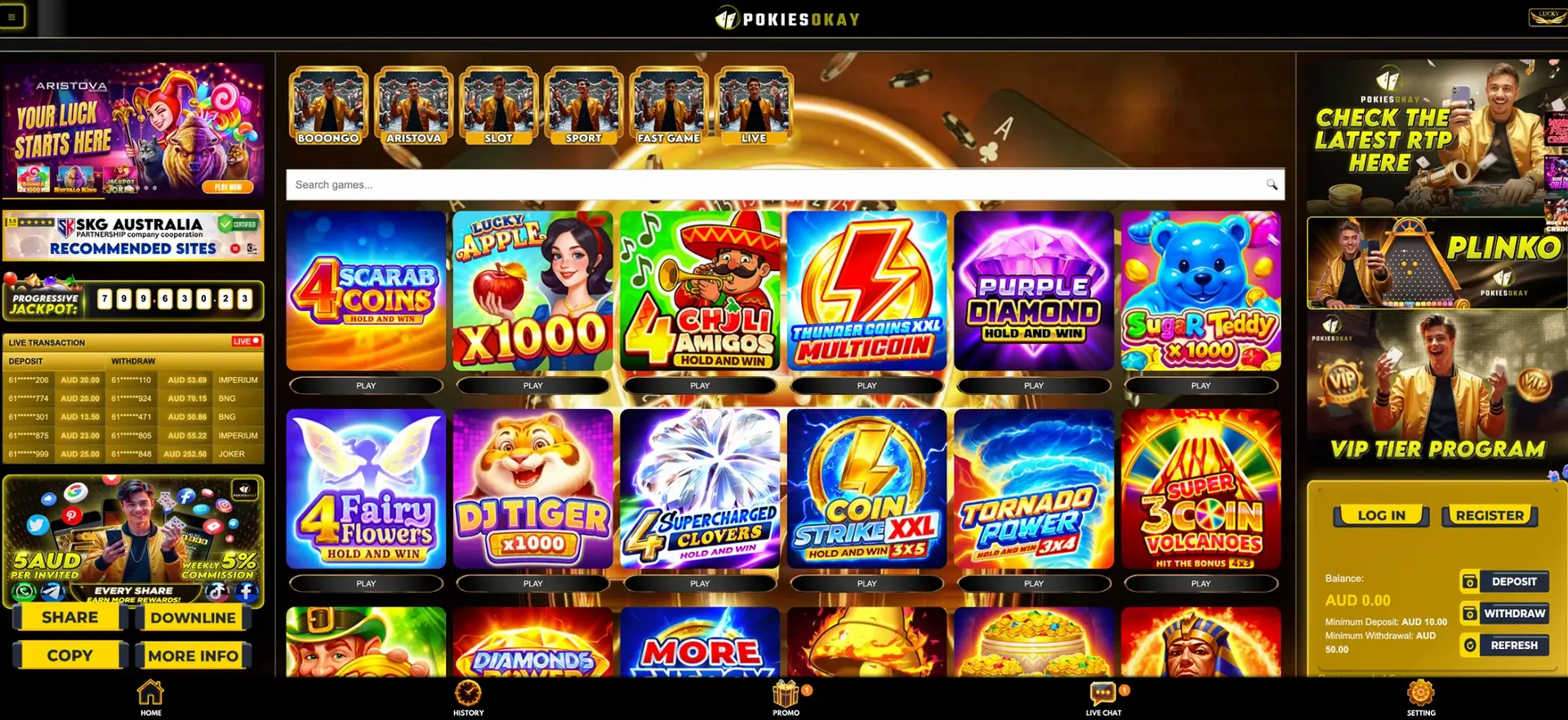
PokiesOkay has no native app in the App Store or Google Play and no official APK; the casino runs in the phone's browser as a mobile-first web app. The mobile version has the same AUD balance and cashier as desktop - deposits from AUD 10, withdrawals from AUD 50 - plus every Promo offer, the VIP page and Live Chat. A home-screen shortcut takes under 10 seconds to add on iPhone or Android and opens the site full-screen.
Desktop and mobile share one account and one set of functions. The table compares them.
| Function | Desktop browser | Mobile browser |
|---|---|---|
| Balance and cashier | Account box, top right | Account area, same buttons |
| Deposit / withdrawal minimum | AUD 10 / AUD 50 | AUD 10 / AUD 50 |
| Navigation | Bottom bar with 5 anchors | Bottom bar with 5 anchors |
| Promo offers and Rebate Calculator | Yes | Yes |
| Pokies, Plinko, Fast Game, Sport, Live | Yes | Yes |
| Leaderboards and live feed | Yes | Yes |
| Installation | None | None; optional shortcut |
The only practical difference is screen size: on a phone, the side panels of the desktop layout move into the scrolling home screen.
Native app: current status
There is no PokiesOkay app to download. Real-money casino apps are restricted on the official stores, and the site is designed around the browser instead. The result behaves like an app - full-screen layout, five-item bottom bar, tiles - without taking up storage or needing manual updates. Any file offered as a "PokiesOkay APK" comes from a third party and is not needed to play.
Opening the site on a phone
Any current mobile browser opens the full version. Three steps are enough for a first visit.
- Type the site address into Safari, Chrome, Samsung Internet or Firefox.
- Tap Log In, or Register for a new account with a mobile number and SMS code.
- Use the bottom bar - Home, History, Promo, Live Chat, Setting - to move around.
Shortcut on the home screen
A home-screen shortcut opens the site full-screen with its own icon and avoids typing the address or following links from messages. The steps differ slightly by system.
iPhone and iPad
On iOS the shortcut is added from Safari.
- Open the site in Safari.
- Tap the Share icon.
- Choose Add to Home Screen.
- Edit the name if needed and tap Add.
Android
On Android the shortcut is added from Chrome; Samsung Internet and Firefox use similar menu items under "Add page to" or "Install".
- Open the site in Chrome.
- Tap the three-dot menu.
- Choose Add to Home screen or Install app.
- Confirm the name and tap Add.
Mobile cashier
The mobile cashier has the same six methods and figures as on desktop, and two of them - Apple Pay and Google Pay - are built for the phone. Payouts go only to methods in the account holder's name.
| Operation | Minimum | Destination / note |
|---|---|---|
| Deposit - PayID, Visa, Mastercard, Apple Pay, Google Pay | AUD 10 | Instant |
| Deposit - Bitcoin | AUD 10 in value | 10–30 minutes |
| Withdrawal - Bitcoin | AUD 50 | Under 1 hour |
| Withdrawal - PayID, Apple Pay, Google Pay | AUD 50 | 1–24 hours |
| Withdrawal - Visa / Mastercard | AUD 50 | 1–3 business days |
A AUD 50 deposit made on the phone with the daily top-up gives AUD 60 to play with - the same result as on desktop.
Data and connection
Different sections use very different amounts of data. Pokies load once and then send little, while live tables stream video continuously.
| Section | Connection needed |
|---|---|
| Pokies and Plinko | Light after the game loads; mobile data is enough |
| Fast Game | Light |
| Sport | Light to moderate; odds update in real time |
| Live tables | Heavy; stable Wi-Fi recommended |
Switching between Wi-Fi and mobile data can end a session. Settled bets stay on the balance, and logging back in restores access.
Sending verification documents from the phone
Identity verification (KYC) is required before the first withdrawal, and documents can be photographed and sent from the phone. A few points keep them from being rejected.
- The whole document is in the frame, with all four corners visible.
- The text is sharp and readable, without glare from a lamp or window.
- The document is valid on the day it is sent.
- The name matches the name on the casino account and the bank account.
Mobile security
On a phone, the account and the SMS recovery channel sit on the same device. That makes the device itself part of account security.
- A screen lock, since a logged-in session gives access to the balance.
- The site opened only from the typed address or the home-screen shortcut.
- No cashier operations on public Wi-Fi.
- No APK files from third parties.
- The mobile number kept current, because password recovery runs by SMS.
Questions and answers
These questions cover playing PokiesOkay on a phone or tablet.
Does PokiesOkay mobile have all the games?
Yes. The full pokies grid, Plinko, Fast Game, Sport and Live are available in the mobile browser.
Is the free spin offer the same on mobile?
Yes. The Booongo Daily Free Spins - 10 to 50 spins at AUD 0.20 - are claimed from Promo on any device.
Can a tablet be used?
Yes. iPad and Android tablets open the same browser version, and the shortcut can be added the same way.
Does the shortcut update itself?
Yes. It opens the live site, so there is nothing to update.
Which browser works best?
Any up-to-date version of Safari, Chrome, Samsung Internet or Firefox. Ad blockers can interfere with login forms and are worth disabling for the site.
Can withdrawals be requested from the phone?
Yes, from AUD 50 through the same Withdraw button. Apple Pay and Google Pay payouts take 1–24 hours.