
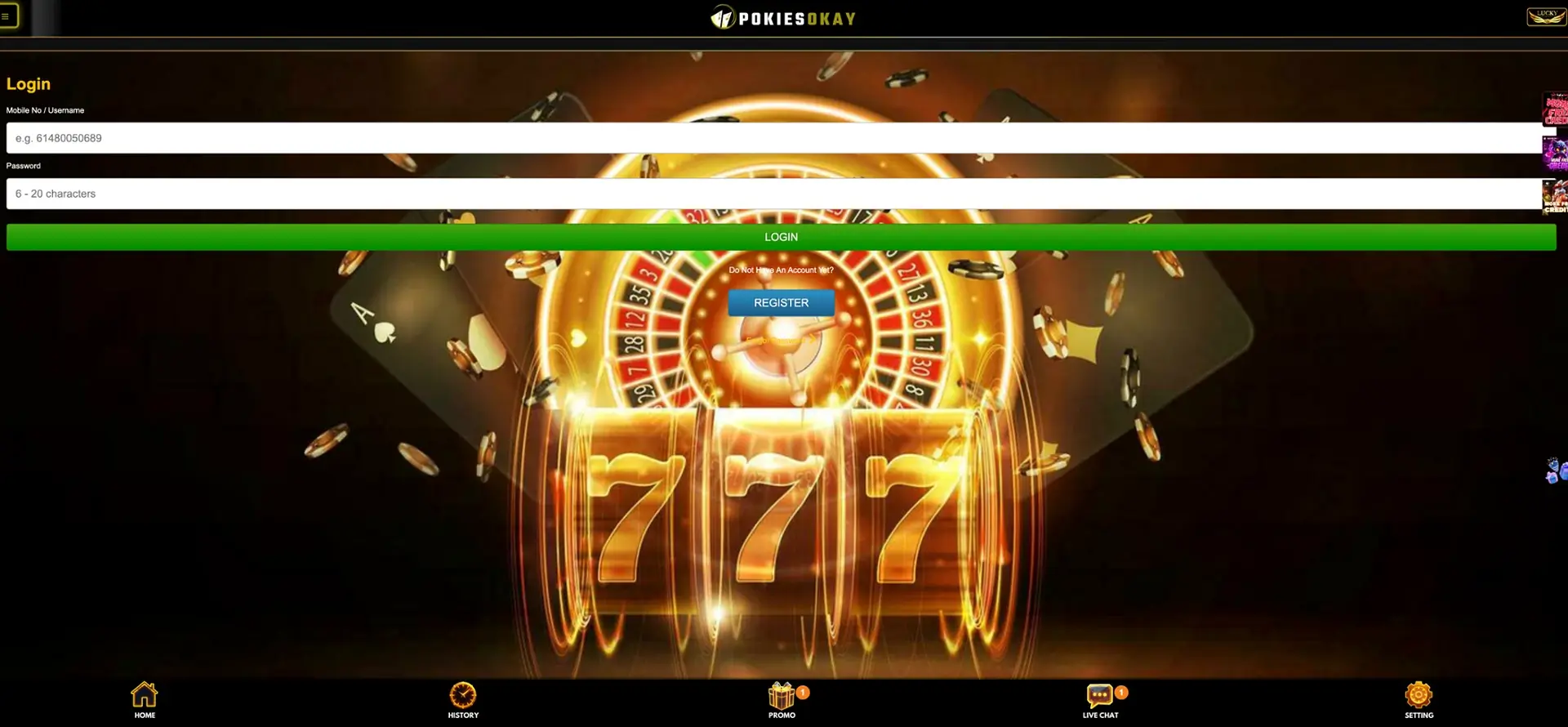
The PokiesOkay Log In button sits in the account box on the home screen, and sign-in uses a registered mobile number or username plus a password of 6 to 20 characters - no email. If login fails, the Forgot Password link under the green LOGIN button resets the password through an SMS code sent to the registered number. Live Chat in the bottom bar handles cases the reset does not solve.
Most login problems fall into a few situations, each with a direct fix.
| Situation | What to do |
|---|---|
| Forgot password | Forgot Password → mobile number → SMS code → new password |
| SMS code not received | Wait one minute, check signal, request a new code |
| Number not recognised | Check the format used at registration, e.g. 61480050689 |
| Page or button not responding | Clear cache, disable ad blockers, try another browser |
| Wrong site | Type the address or use the saved shortcut |
| Account blocked | Live Chat |
Signing in on desktop
On a computer, the account box is in the top-right area of the home screen and shows the balance once logged in.
- Open the site by typing its address.
- Click Log In in the account box.
- Enter the mobile number or username in the Mobile No / Username field.
- Enter the password.
- Click the green LOGIN button.
Signing in on a smartphone
On a phone, the same form opens from the account area, and a home-screen shortcut saves typing the address each time.
- Open the site from the shortcut or by typing the address.
- Tap Log In.
- Enter the mobile number or username and the password.
- Tap LOGIN.
Restoring access
Password recovery runs entirely through the registered mobile number. The process takes about two minutes when the phone is at hand.
- Tap Forgot Password under the LOGIN button.
- Enter the registered mobile number.
- Request the SMS code.
- Enter the code.
- Set a new password of 6 to 20 characters.
- Log in with the new password.
If the number on the account is no longer active, the SMS cannot arrive, and access has to be restored through Live Chat.
Why the login fails
Four causes cover almost every failed login. Each is quick to rule out.
Credentials typed incorrectly
The number must match the format used at registration, and the password is case-sensitive.
- Check for a missing country code or an extra space.
- Check Caps Lock.
- After two or three failed attempts, use Forgot Password instead of guessing.
Browser problems
A form that does not submit is usually a browser issue rather than an account issue.
- Clear the cache and cookies, then reload.
- Disable ad blockers and script blockers for the site.
- Make sure cookies are allowed - the session depends on them.
- Try a different browser.
SMS delays
Codes can arrive with a delay of up to a minute or more on a weak signal.
- Wait before requesting again.
- Confirm the phone in hand has the registered number.
- Use the newest code only; older codes stop working.
Dropped session
Moving between Wi-Fi and mobile data can end a session mid-game.
- Reopen the site and log in again.
- Check History - settled bets stay on the balance.
Protecting the account
The mobile number is both the login and the recovery channel. Anyone with the phone and the number can reset the password, so protection starts with the device.
- Use only the official site address or the saved shortcut; copies of casino login pages are used for phishing.
- Choose a password used nowhere else.
- Keep a screen lock on the phone.
- Check under Setting whether two-factor authentication is available.
- Log out fully on shared or public devices.
- Never give the password to anyone - Live Chat does not ask for it.
- Update the mobile number before changing SIM.
One person, one account
Opening a new account after losing a password looks like a quick fix but creates a bigger problem. PokiesOkay allows one account per person, and a duplicate is flagged when a withdrawal is requested - the payout can be held on both accounts. A registration attempt with a number already in use also returns a "Number already registered" message. Forgot Password or Live Chat restores the original account with its balance, VIP progress and history intact.
Inside the account
After login, the account gives access to the money side of the site and to every Promo offer.
| Section | What it shows |
|---|---|
| Account box | AUD balance with Deposit, Withdraw and Refresh |
| History | Deposits, claims, bets and withdrawals with their status |
| Promo | Free spins, free credits, top-ups, red packets, Rebate Calculator |
| VIP | Current tier from Bronze (AUD 100) to Diamond (AUD 100,000) |
| Referral panel | Invite link, Downline, AUD 5 per invite |
| Setting | Account details and preferences |
When verification is requested
Login itself needs no verification. Identity verification (KYC) is required before the first withdrawal of AUD 50 or more: an ID document is checked and the account name is compared with the name on the payment method and the bank account. A name entered differently from the bank's record is the most common reason a first payout is held.
Questions and answers
These questions cover signing in and getting back into a PokiesOkay account.
Can a PokiesOkay login use email?
No. The account has no email; login uses the mobile number or username.
How long can the password be?
Between 6 and 20 characters.
What if the registered number is lost?
SMS recovery will not work, so access is restored through Live Chat with the account details.
Does the session stay open on a phone?
It can, which is why a screen lock matters. On shared devices, log out fully.
Is the balance safe if the login page will not load?
Yes. A page that does not load is a browser or connection issue; the balance stays on the account.
Can two people share one account?
No. Each account belongs to one person, and payouts go only to payment methods in that person's name.